

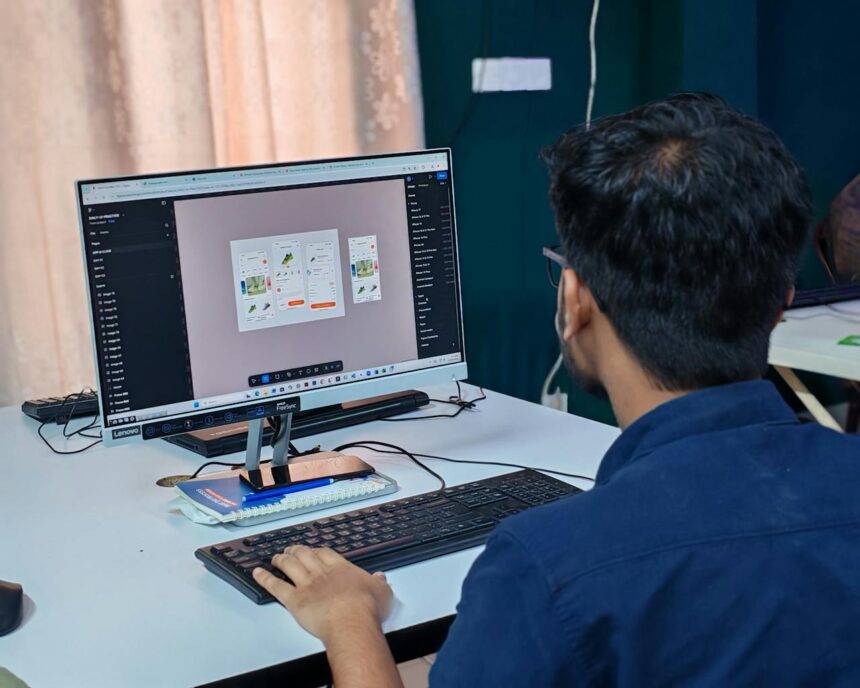
Website & Design Software: Tools to Build Stunning and Functional Websites
Creating a professional and engaging online presence requires the right website & design software. These tools help businesses, freelancers, and designers build visually appealing websites, enhance user experience, and optimize functionality. Whether you’re designing a personal portfolio, an e-commerce store, or a corporate website, selecting the right software is crucial for success.
1. What Is Website & Design Software?
Website & design software refers to applications and platforms that enable users to create, edit, and manage websites and digital designs. These tools range from drag-and-drop website builders to advanced graphic design software, catering to both beginners and professional designers.
Website & design software typically includes features such as:
- Visual editors and templates for easy design.
- Custom coding capabilities for advanced customization.
- Tools for responsive design, ensuring websites work on mobile and desktop.
- Integration with plugins, SEO tools, and e-commerce platforms.
- Animation, graphics, and multimedia support.
2. Types of Website & Design Software
Website & design software can be divided into several categories, depending on the type of work you want to accomplish.
a. Website Builders
Website builders allow users to create websites without coding knowledge. They often use drag-and-drop interfaces and pre-designed templates.
- Wix: User-friendly with hundreds of templates and customization options.
- Squarespace: Elegant templates with integrated e-commerce and blogging features.
- Weebly: Simple and intuitive, ideal for small businesses and personal projects.
b. Content Management Systems (CMS)
CMS platforms provide more control over website content and functionality, often with extensive plugin ecosystems.
- WordPress: Highly customizable, suitable for blogs, portfolios, and e-commerce.
- Joomla: Flexible CMS for medium to large websites.
- Drupal: Advanced CMS for complex websites requiring extensive customization.
c. E-Commerce Platforms
For online stores, e-commerce software combines website design with sales tools.
- Shopify: All-in-one platform for managing products, payments, and shipping.
- BigCommerce: Scalable e-commerce solution with built-in marketing tools.
- WooCommerce: WordPress plugin turning any website into a full-featured online store.
d. Graphic Design Software
Graphic design tools are essential for creating website visuals, branding elements, and digital assets.
- Adobe Photoshop: Industry-standard for image editing and manipulation.
- Adobe Illustrator: Vector graphics software for logos, icons, and illustrations.
- Canva: Easy-to-use platform for creating professional graphics without advanced skills.
e. UI/UX Design Tools
User interface (UI) and user experience (UX) design software helps create intuitive, visually appealing, and user-friendly websites.
- Figma: Collaborative design tool for wireframes, prototypes, and UI design.
- Sketch: Popular among web designers for vector-based design.
- Adobe XD: Combines UI/UX design, prototyping, and collaboration features.
f. Animation and Multimedia Tools
Animation and multimedia software enhances websites with interactive visuals and engaging content.
- Adobe After Effects: Advanced motion graphics and animation software.
- Blender: 3D modeling and animation platform for web graphics.
- LottieFiles: Lightweight animations optimized for websites and mobile apps.
3. Benefits of Using Website & Design Software
Using professional website & design software provides significant advantages:
a. Improved Website Appearance
These tools help create visually appealing websites that attract visitors and convey professionalism.
b. Enhanced User Experience
UI/UX-focused software ensures websites are intuitive, easy to navigate, and mobile-friendly, increasing engagement and retention.
c. Faster Website Development
Drag-and-drop builders, templates, and pre-made elements reduce development time, allowing faster launch of websites.
d. Cost-Effective Solutions
Website & design software reduces the need to hire full-time developers or designers, especially for small businesses and startups.
e. Customization and Flexibility
Advanced tools allow users to create unique designs and implement custom features, making websites stand out.
f. Integration with Marketing and Analytics
Modern software often includes SEO tools, analytics, and integrations with marketing platforms to track performance and optimize websites.
4. Choosing the Right Website & Design Software
Selecting the right software depends on your needs, skills, and budget. Consider these factors:
- Ease of Use: Drag-and-drop builders are ideal for beginners, while CMS platforms suit advanced users.
- Customization Options: Determine if you need templates, coding flexibility, or custom features.
- Integration: Ensure the software connects with e-commerce, marketing, or analytics tools.
- Pricing: Evaluate subscription plans, licensing, and long-term costs.
- Support: Look for platforms with tutorials, customer support, and community resources.
5. Best Practices for Website & Design Software
To maximize results when using website & design software:
a. Plan Your Website Structure
Outline your website layout, content, and navigation before designing to save time and ensure clarity.
b. Prioritize Mobile-Friendly Design
With mobile traffic increasing, responsive design is essential for user experience and SEO.
c. Optimize Website Speed
Use lightweight graphics, optimized images, and clean code to ensure fast-loading websites.
d. Focus on Branding
Use consistent colors, fonts, and design elements that align with your brand identity.
e. Test and Iterate
Regularly test websites for usability, functionality, and responsiveness, making improvements based on feedback and analytics.
6. Trends in Website & Design Software for 2026
The landscape of website & design software continues to evolve. Key trends for 2026 include:
- AI-Powered Design Tools: AI-assisted platforms help generate layouts, visuals, and content faster.
- No-Code/Low-Code Platforms: Non-technical users can create complex websites without coding skills.
- Interactive and Immersive Web Design: Animation, 3D graphics, and AR/VR experiences improve engagement.
- Cloud-Based Collaboration: Teams can work simultaneously on web design projects from anywhere.
- Sustainability-Focused Design: Optimized code and lightweight assets reduce digital carbon footprints.
7. Examples of Website & Design Software in Action
- Small Business: Wix or Squarespace for creating a professional portfolio or online store quickly.
- Freelance Designer: Figma and Adobe Illustrator for client projects and visual assets.
- Corporate Website: WordPress or Drupal with custom UI/UX design and advanced integrations.
- E-Commerce: Shopify or WooCommerce for scalable online store management.
Using the right combination of website & design software ensures businesses can build engaging, functional, and visually appealing websites that drive results.
Conclusion
Investing in website & design software is essential for creating professional, functional, and user-friendly websites. Whether you are a small business, freelancer, or enterprise, these tools streamline development, improve design quality, and enhance the overall user experience.
By choosing the right software, planning your website structure, and following best practices, you can build websites that attract visitors, increase engagement, and support business growth in 2026 and beyond.